Geysers, lamps, routers and festive lights are good fits. ACs, microwaves, irons and room heaters are not. Before features, check the load rating: a genuine 16A plug for anything that heats water or air, 6A or 10A for small loads.
Are smart plugs worth it? For a few jobs, very much so. A smart plug sits between the wall socket and an appliance, and lets you switch it from your phone, by voice or on a schedule. It costs under ₹1,000 and needs no electrician. But it can only do one thing, cut or restore power, and much of what gets sold as “smart” is that one trick dressed up.
This guide covers the rating that keeps a plug safe, the uses that justify one, the ones that don’t, and what to check. It draws on manufacturer specifications, BIS rules and current Indian listings, not hands-on testing.
What a smart plug can and can’t do
Inside is a relay (an electrically controlled switch), a Wi-Fi radio and, on energy-monitoring models, a power-measuring chip. It can’t change a fan’s speed, set an AC’s temperature or press “start” on a microwave.
So test the appliance first: switch it off at the wall while it’s running, then back on. If it carries on with its job, a smart plug can control it. If it wakes up in standby and waits for a button, the plug can only switch it off.
Load rating first: 6A, 10A or 16A
This matters more than any app feature. Indian mains is about 230 V, and watts are roughly volts × amps, so each rating has a hard ceiling. For long-running loads, stay around 80% of it.
| Plug rating | Ceiling at 230 V | Comfortable continuous load (~80%) |
|---|---|---|
| 6A | about 1,380 W | up to about 1,100 W |
| 10A | about 2,300 W | up to about 1,850 W |
| 16A | about 3,680 W | up to about 2,950 W |
Now match it to the appliance. Check the wattage on its own label; these are typical ranges:
| Appliance | Typical draw | Plug to use |
|---|---|---|
| LED lamp, Wi-Fi router, phone or laptop charger | 5–100 W | 6A |
| TV, set-top box, speakers, festive lights | 20–200 W | 6A or 10A |
| Table fan, air purifier, aquarium pump | 20–120 W | 6A or 10A |
| Electric kettle | 1,200–1,800 W | 10A at least; 16A above 1,800 W |
| Microwave oven (input power, not the 800 W on the box) | 1,200–2,500 W | 16A |
| Geyser (storage or instant) | 2,000–3,000 W | 16A only |
| 1–1.5 ton split or window AC | 1,000–2,200 W | 16A only, and see below |
A 3,000 W geyser draws about 13 A, which is already past the 80% line on a 16A plug. A 2,000 W geyser, at about 8.7 A, sits comfortably. Cheap 10A plugs overheating on geysers are a well-known failure, so don’t try to stretch one.
The wall socket sets the limit too
A smart plug can’t upgrade the socket behind it. In India, most 10A smart plugs fit the ordinary 6A three-pin socket, while 16A plugs need the large round-pin 16A socket used for geysers and ACs. Wipro, for example, says its 16A plug fits only 16A (Type M) sockets and its 10A plug fits standard 6A (Type D) ones. If a heavy appliance runs from a small socket through an adapter, fix that first.
Motors are rated differently
Motors draw a surge when they start, so makers often give a much lower motor rating. TP-Link’s Indian quick-start guide for the Tapo P110 lists 16A for general and resistive loads, but only 1/6 HP for motors. A typical home water pump is 0.5 or 1 HP. Unless the spec sheet clearly covers your pump’s HP, use a proper pump controller instead.
Where a smart plug is genuinely worth it
- Geysers on a schedule. On 20 to 30 minutes before your bath, off afterwards, instead of on all morning. A geyser resumes by itself when power returns, so a 16A plug controls it fully.
- Finding standby power. An energy-monitoring plug shows live watts and units used. Units (kWh) × your tariff gives rupees. Something that draws 10 W round the clock uses about 88 units a year, roughly ₹525 to ₹790 at ₹6 to ₹9 a unit. Tariffs vary by state and slab, so use the rate on your own bill.
- Lamps and festive lights. On at sunset, off at 11 pm, every day through Diwali without anyone climbing behind the cabinet. Away modes that switch a lamp at irregular times make a home look occupied while you travel. For which lamps to use, see our guide to layering lamps at home.
- Router restarts. A scheduled 2-minute off at 4 am fixes the routers that need a regular reboot. Use a schedule rather than the app, because the plug loses its own Wi-Fi the moment the router goes off.
- Desk power. One plug can cut a monitor, speakers and charger at the end of the workday; see our desk gadgets guide.
Where it’s a gimmick, or a bad idea
- Air conditioners. Many ACs, inverter models especially, come back on in standby after a power cut, so the plug can switch the AC off but can’t reliably start cooling or set the temperature. A Wi-Fi IR controller that copies your remote does the real job, and budget ones are listed at about ₹750 to ₹1,200 on Amazon.in.
- Microwaves, washing machines and many coffee machines. They power up into standby and wait for you. A smart plug adds nothing except energy readings.
- Irons, room heaters and oil-filled radiators. Remote control for something that can start a fire unattended is a risk, not a convenience. Use the wall switch and stay in the room.
- Anything already smart. Smart TVs, Wi-Fi ACs and robot vacuums have their own schedules; cutting power can interrupt updates or charging.
- Fixed timings with no need for an app. If a lamp or a cooler only needs the same on and off times every day, a plain programmable timer socket (about ₹450 to ₹800) does it without Wi-Fi.
Fans and purifiers are in between: a plug can switch them but not change speed, so give an air purifier the wall-switch test first. If fan running cost is the worry, a BLDC fan saves more than any plug; see our BLDC ceiling fan buying guide.
Checklist before you buy
- BIS/ISI marking. Plugs and socket-outlets up to 16 A must carry the BIS Standard Mark under a government quality control order that applies IS 1293. Look for an ISI mark or a BIS licence number on the plug, the box or the listing, and skip unbranded plugs with neither.
- Honest rating and build. A rating printed on the body, fire-retardant housing (often listed as PC, V-0) and overload protection. Be wary of a “16A” plug that costs less than a branded 10A one.
- 2.4 GHz Wi-Fi. Almost all Wi-Fi smart plugs pair only on 2.4 GHz. Most dual-band routers handle this, but a 5 GHz-only network won’t work.
- Schedules that run offline. Prefer plugs that store schedules on the device. TP-Link’s Tapo FAQ says schedules and timers keep running without internet, but after a power cut the plug must reconnect to resync its clock. In areas with frequent cuts, also set the “power-on state” (last state, on or off).
- Energy monitoring, if you want rupee figures rather than just switching.
- Alexa or Google Assistant support, if you use one; Matter helps if you mix brands.
- A body shape that doesn’t block the neighbouring socket on your switchboard.
What smart plugs cost in India (October 2026)
Amazon.in listings on 20 October 2026. Prices move during sales; these show price bands, not recommendations.
- 16A with energy monitoring, about ₹700–₹1,000: Wipro 16A at ₹869, Tapo P110 (16A, 3,680 W) at ₹849, Qubo 16A at ₹899, Havells 16A at ₹959 and AGARO Regency 16A at ₹698.
- 10A, about ₹700–₹850: Wipro 10A at ₹839 and Zebronics ZEB-SP110 at ₹715. Branded 16A plugs cost about the same, so buy 16A if you have the socket for it.
- Small 6A plugs with Matter: the Tapo P116M is listed at ₹1,299, for lamps, chargers and other light loads.
Safety rules worth keeping
- Plug heavy loads straight into a wall socket of the right rating. No extension boards, spike guards or chained adapters in between.
- Use proper earthed three-pin sockets for metal-bodied appliances like geysers and microwaves.
- Touch the plug after an hour of heavy use. If it feels hot, unplug it and recheck the rating; warm is normal, hot is not.
- Keep plugs indoors and dry, and replace any with discoloured plastic or a burning smell.
Renting? Nothing on the wall changes, so a smart plug is the easiest upgrade; our list of renter-friendly smart home gadgets covers what to add next.
FAQ
Are smart plugs worth it?
Yes, for appliances that only need power switched at the right time, such as geysers, lamps, routers and festive lights, and for measuring standby power. They are not worth it for ACs, microwaves or anything that waits in standby after power returns.
Can I use a smart plug for a geyser?
Yes, if it is a genuine 16A plug in a 16A wall socket. A 2,000 W geyser draws about 8.7 A. A 3,000 W geyser draws about 13 A, close to the limit, so check the plug’s maximum load and never use a 10A plug.
Can a smart plug control an AC?
Only on and off. Many ACs return in standby after power comes back, so a Wi-Fi IR controller that copies the remote is the better choice.
Do smart plugs work on 5 GHz Wi-Fi?
Most don’t. Wi-Fi smart plugs such as the Tapo and Wipro models pair only on 2.4 GHz, so your router needs a 2.4 GHz band switched on.
Do smart plug schedules work without internet?
On many models, yes. Tapo says schedules keep running without internet, but after a power cut the plug must reconnect to resync its clock.
Bottom line
Buy a smart plug for a job, not for the novelty. Start with one branded, ISI-marked 16A plug with energy monitoring on your geyser, or a small plug on the lamp you always forget. Leave ACs, microwaves, irons and heaters off the list, and match the rating to the appliance and the socket every time.
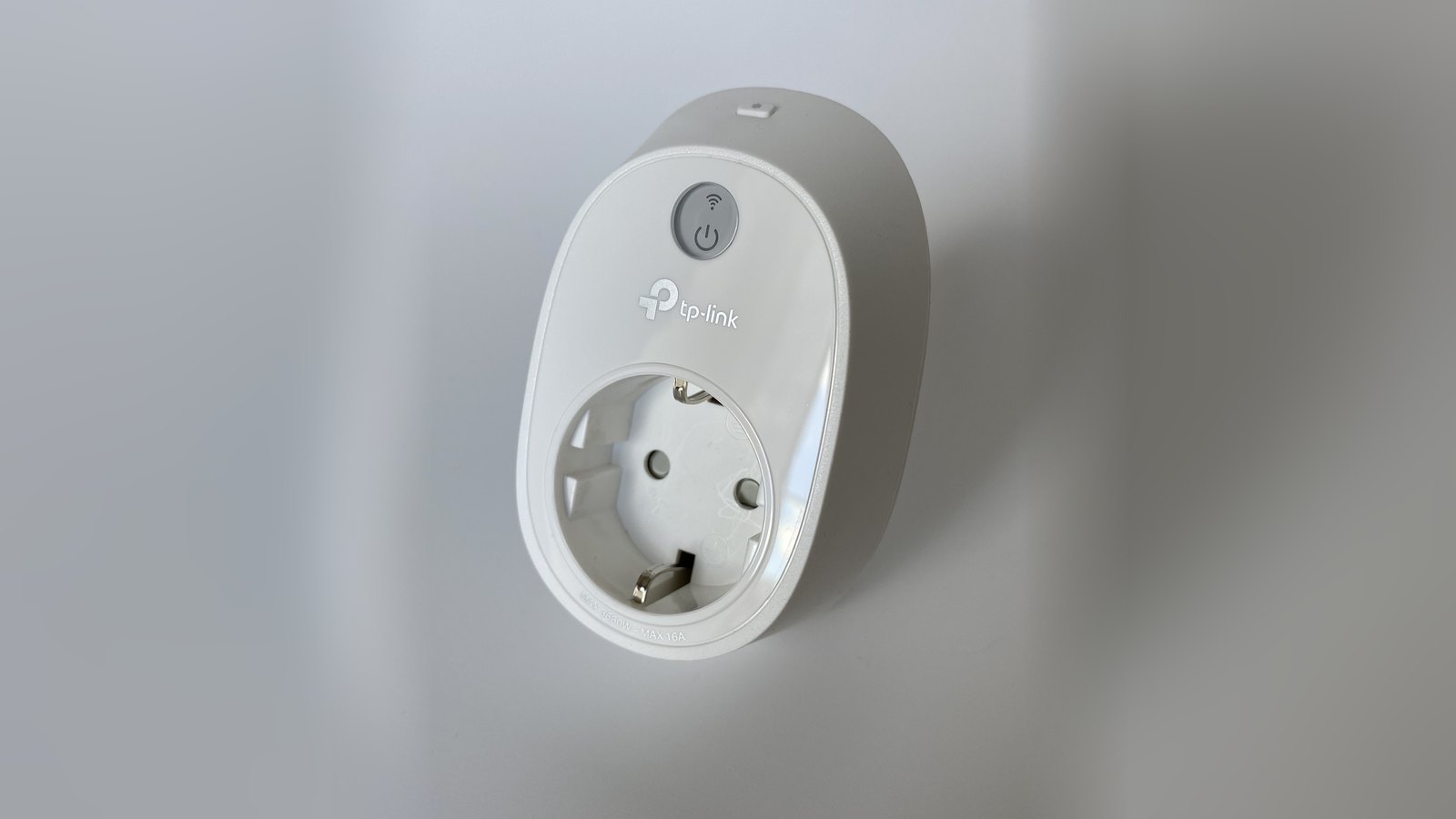
Featured photo: TP-Link HS110 Wi-Fi smart plug by www.digitalpush.net, from Wikimedia Commons, licensed CC BY 4.0; cropped, background extended and resized. The European socket shown differs from Indian ones.